



Show Up for Nearby Patients
Make your office hours, phone number and services easy to find in Google Search and Maps.
SEO, Websites and Paid Search
When hygiene appointments go unfilled, it’s hard to tell where patients get stuck. We help them find the right office and make it easier to request a visit.

Fill Open
Appointment Slots

Over 20 Years of Experience
Experience across search, websites and advertising.

Clear Patient Information
Help patients find the right office, service and appointment options.

Client Management
One contact for decisions and updates across your offices.
Dental Marketing Services
Check whether patients can find the office, understand what it offers and request a time. Start with the step that creates the most work for your front desk.
Make your office hours, phone number and services easy to find in Google Search and Maps.

Explain what a visit involves, where it takes place and how patients can ask for an appointment.

Reach people searching for a dental service at an office with time to see them.
Read how website design and SEO supported a dental practice’s patient growth over three months. See the Dental Practice Case Study
Decide Which Visits to Grow
A new patient exam, a call about tooth pain and an implant consultation have different scheduling needs. Start with the visit you can make room for and the questions patients usually ask.
Show which offices welcome new patients, what to bring and where to check current insurance or payment information.
If you offer urgent visits, publish the office to call, the hours it answers and how patients can confirm availability.
For services you offer, such as implants or clear aligners, explain what the consultation covers and who patients will meet.
What the Front Desk Hears
An exam slot can sit open while your front desk spends the morning sending patients to another office or explaining a service you don’t offer there. Your staff is busy, and there’s still room for the patients you want to see.
We use the questions your team hears to find what to fix first. It might be the wrong office showing up in Maps, a treatment page that leaves out the location or a request that never reaches the right desk.
Talk Through Your Appointment Goals
They see the service online but cannot tell where it is available.

The first visit page leaves out information your front desk has to repeat.

Someone reaches you about a service or appointment time your team cannot provide.

Call and form totals do not show which patients booked or attended.
Build the Plan With Your Practice

Ask the front desk which appointments it can fill and what patients need to know before they call.

Choose an office and visit type. Agree on the first change and the appointment figures your team can confirm.

Update the listings, pages or campaigns in scope. Set up reporting for calls and requests where available.

Compare the requests with the visits your team confirms. Adjust the work when the schedule or office availability changes.
Search for a dentist accepting new patients and check which office, hours and phone number appear.
Show whether the office is accepting new patients, what an exam involves and how to contact the front desk.
Ask whether callers reached the correct office and knew how to arrange the first visit.
Local SEO for Dental Practices
We review what appears in Search and Maps for the visits you want to grow, then check that patients see consistent hours, phone numbers and services when they go from a map listing to your site.
Website Design for Dental Practices
A parent arranging a first visit may need to know what to bring. Someone calling about tooth pain needs a number for the office that handles urgent visits, if you offer them. Put those answers close to the contact option on the relevant page.
General Page
Implants appear among other treatments with little detail.

The front desk has to explain what happens at a consultation and which office provides it.
Dedicated Page
Explain what the consultation covers, where it takes place and who the patient will meet.
Show the correct office number or booking link. Explain when the practice will confirm the visit.
Paid Search for Dental Practices
Start with one service at an office that can see more patients. Send people to a page that explains the visit, then ask the front desk how many requests it could schedule.
Choose an office accepting new patients or a specific consultation your team can schedule. Review search terms for unrelated services.
An ad for new patient exams should lead to the page for the office accepting new patients. Explain what to bring and how to request a time.
Compare tracked requests with confirmed appointments. If callers ask about other services, review the search terms and the page before adding budget.
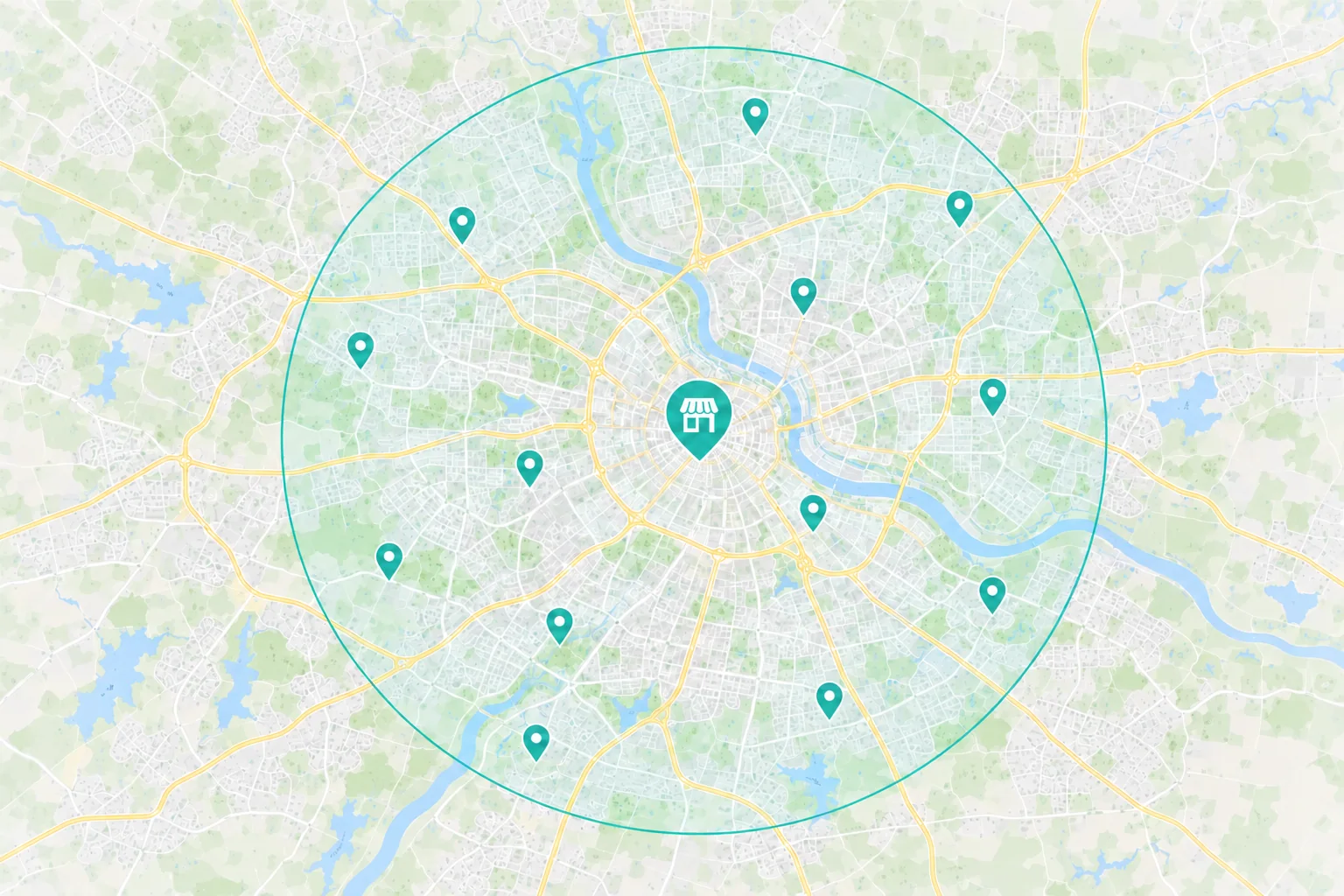
How Far Patients Look
A patient looking for a routine exam may start close to home or work. Someone considering an implant consultation may look farther afield to compare providers and decide which office is worth a visit.
Keep the address, hours and phone number accurate. Link each Maps listing to the page for that office.
Say whether the office is accepting new patients, what to bring and how the office confirms a time.
 A practice offering a specific service
Name the office that provides the service and explain what the first visit covers.
Put directions and arrival information where patients can find them.
Identify the providers and share relevant experience your practice can verify.
Choose the First Fix
A patient finds your practice for a service offered at another location and your team has to redirect the call.
What to Check First
What Appeared in Search
Which office or page did patients find for that service?
The Number Patients See
Does the service page show the number for the office that provides it?
Someone comparing clear aligner consultations may miss yours when the service appears only in a treatment list.
What to Check First
Search and Maps
What page or listing shows up for this service nearby?
Service Detail
Does the page say what the consultation covers and who the patient will meet?
A patient may think they already booked when the form only sends a request to the front desk.
What to Check First
What the Form Promises
Does the site distinguish a request from a confirmed appointment?
What the Office Does Next
Does the request reach the right team, and does the patient know when to expect a response?
The Patient Journey
A new patient may call from Maps without visiting your site. Someone comparing options for clear aligners may read a treatment page first. Both need a way to reach the office that can see them.
 Search & Maps
 Ads & Campaigns
 Referrals

On the Practice Website
Which office provides the service
What happens at the first visit
How to call or request a time
The front desk checks availability and confirms a time. Compare the requests it receives with the appointments it books.
Review Appointment Outcomes
Calls, forms and booking requests show how people reached the practice. Use the totals your practice can confirm to see which requests matched available visits, how many appointments were scheduled and how many took place.
What Marketing Can Show
Source
Which tracked campaigns or pages brought in calls and appointment requests?
Action
Did patients call, send a request or use a booking tool? Set aside duplicates and spam where possible.
Investment
What did you spend on ads and agreed agency work during the review period?
What Your Practice Can Confirm
Visit Fit
Did the request match a service, office and appointment type you could offer?
Outcome
Count requests, scheduled visits and attended visits separately. Keep unknown outcomes open.
Cost per Scheduled Visit
Where your team can confirm bookings from a campaign, compare its cost with the visits it helped schedule.

Dave and his team never cease to amaze us with completion of every item on a Scope of Work as well as offering many additional services with fair pricing.
What to Expect From Revenue Surge
We’ve worked with Accelerate My Practice, a dental coaching company, on websites, local SEO and reporting for dental practices under its brand. For your practice, we’ll agree which office and visit type to focus on and what the project covers.

List the pages, office listings, campaigns or reporting changes covered by the proposal.
Review agency fees and ad spend separately. Agree on who approves changes before they go live.
Set a review date and agree on which appointment counts the practice can report in aggregate.
Dave is great to work with. Very responsive to any request and just plain does a great job! What more could you ask for?
How We Work Together
Dave coordinates the people working on your site, search and advertising. Bring changes in office hours, service availability or appointment capacity to him.
Design, Development and Marketing

Dave Gervase
Cofounder and President
Client Management
Bring practice changes and approvals to Dave.
The Expertise Behind the Work

Makes service, office and first visit information easy to find.

Builds pages and connects the contact options your practice uses.

Keeps search and campaigns focused on the visits each office can take.
Client Perspectives
Clients share what it was like to plan work with us and get help after launch.
Great experience working with Revenue Surge to not only build a website for my firm's real estate business but also consulting on effective logo design and SEO. Would absolutely recommend Dave and fully trust his expertise...
Shae Herman
A partner that brings Unique conversion enhancing skills to their clients sites resulting in the highest upsell revenue per impression of any of our partners...

Steve Howard
Affinion Group
Their broad mix of online and offline offers combined with dynamic banner presentations sets Revenue Surge apart from other suppliers. Conversions rose sharply as soon as they were plugged in...

Todd Davies
As Seen on TV
Frequently Asked Questions
Questions dental practice owners and managers ask before planning the work.
Start a Project Conversation
Tell us what’s open on the schedule and what your front desk hears. We’ll talk through where patients may be dropping out and what your practice can measure after the first change.
Which office to focus on. Tell us which location and services matter most right now.
Which visits you can schedule. Share whether you have time for new patient exams, consultations or another type of visit.
What the front desk hears. Tell us which questions staff answer repeatedly and where requests tend to stall.
Include your website, the office and visit type you want to discuss. Keep patient names, records and treatment details within your practice.


