Practical Mobile SEO Answers
Questions About Mobile SEO
Answers about mobile content, device checks, inquiry delivery and how to agree on scope and cost.
Is Responsive Design Enough for Mobile SEO?
+
−
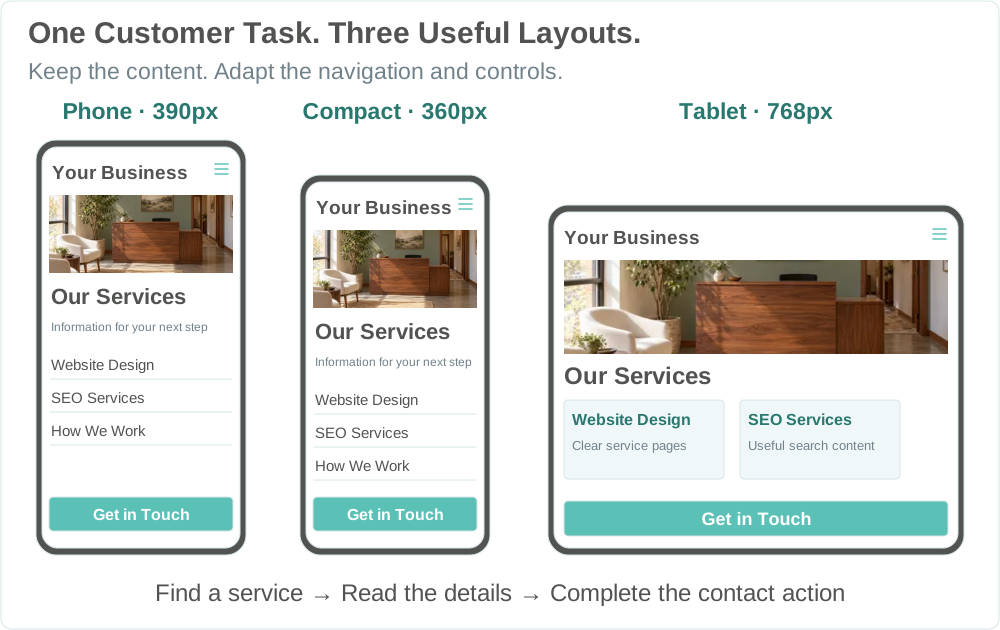
Responsive design helps a layout adapt. Check the rendered mobile URL for primary service information. Test the agreed task and verify actual receipt separately if the task sends an inquiry.
Does Google Need Different Content on Mobile?
+
−
Google primarily uses the mobile version of your content for indexing and ranking. Keep primary service details, meaningful headings and relevant links equivalent across layouts. Tabs or accordions can organize content that is already in the rendered page. Google will not load primary content that has to be fetched after an interaction.
Will We Need a New Website or a Separate Mobile Site?
+
−
A separate mobile site is usually unnecessary. Check whether a scoped content, template, performance or contact change can address the issue. If the current platform cannot support the agreed changes, discuss a rebuild separately.
Can You Implement Changes or Work With Our Developer?
+
−
Revenue Surge offers website design and search services. Agree which recommendations and implementation tasks belong in your scope, who makes each change and how it will be checked. Tell us about your developer, host and connected providers so responsibilities are understood before work begins.
What Determines the Cost of Mobile SEO Work?
+
−
The price depends on the pages and templates, available evidence, agreed device checks and the depth of review. Confirm the review price and any separately scoped implementation, including dependencies on booking or other providers, before work starts.
What Affects Timing and When Can We Verify Changes?
+
−
Timing depends on the review scope, access, approvals and any agreed implementation. We can recheck a fixed page or contact path after it goes live. Evaluating search, visitor or inquiry changes requires enough comparable data.
What Access or Input Will You Need From Us?
+
−
Start with one page and one concern. A link or brief example can help. Once the work is agreed, have the account owner grant named users only the permissions needed for the site, reports or booking tool. Keep passwords and private customer information out of the inquiry.
Can You Check Forms, Calls and External Booking Tools?
+
−
Yes, when agreed. Check the selected call, form or booking action through validation and confirmation as applicable. Confirm connected calls or received requests separately in the relevant records. Use approved test details and agree who handles changes in connected tools.
What if PageSpeed Insights Has No Real Visit Data?
+
−
Check the report’s mobile view for the exact URL. When the URL has too few eligible Chrome visits, PageSpeed Insights may show data for the origin or no field data. Origin data cannot establish an individual page’s result. Use a controlled run and a separate customer task check to continue investigating.
Can Better Core Web Vitals Guarantee Higher Rankings or More Inquiries?
+
−
No. Google uses Core Web Vitals in its ranking systems, and better scores do not guarantee rankings or inquiries. Check search performance in search reports and confirm inquiry receipt and fit in business records.
What Will We Receive From the Engagement?
+
−
Before starting, agree which pages, tasks and devices the review covers and what findings and recommendations you will receive. If implementation is included, agree who makes the changes and how release checks will be documented. Scope any ongoing reporting separately.
What if the Website Works but the Inquiries Do Not Fit?
+
−
Use received inquiry records and your team’s fit criteria to see which requests match your services and area. If the mobile path works, review wording, targeting and response separately before deciding whether broader SEO or marketing work is needed.