

Make the Navigation Clear
The issue: Similar labels and too many routes hide useful service information.
Our fix: Group services, name links clearly, and make important pages easy to find.
WordPress Websites
Plan a new WordPress website, improve an existing one or move a site to WordPress. We can discuss what customers need to do and what your team needs to update.


Custom WordPress Design
Plan page layouts around your brand, services and the questions customers ask.

A Clear Path to Inquiries
Give visitors a clear way to call or send a request, and agree who should receive it.

Choose What Your Team Can Update
Agree what your staff can change, such as service details or photos, and which layout or technical updates need support.
Common Website Challenges
A confusing website makes simple tasks harder. Here are four common problems, shown in a fictional example, and how we would improve the experience.
The issue: Similar labels and too many routes hide useful service information.
Our fix: Group services, name links clearly, and make important pages easy to find.
The issue: A large image adds download work without helping visitors choose a service.
Our fix: Resize and compress imagery, then review how the page loads.
The issue: The message fails and the contact action is easy to miss.
Our fix: Check validation and delivery, then make the next step clear.
The issue: Desktop columns shrink into tiny text and sideways scrolling.
Our fix: Rework the narrow layout with readable text and reachable controls.
Planning the Project Scope
Identify the pages and addresses worth keeping, the content staff need to edit, and the inquiry routes you need to check. Use those priorities to decide what belongs in the project.
Planning Example: Fictional Service Business
Useful service pages. Difficult editing. Inquiries that do not consistently reach the right person.
Keep
Change
Editable Content
Service name
Who it helps
Next step
Agree who edits content and who controls design.
Verify
Does the page explain what happens next?
Has a test reached the agreed destination?
The Output: An Agreed Scope
Pages and features to retain.
Content, layouts and connections.
Content, access and support responsibilities.
The checks agreed before launch.
If the platform works, the useful next step may be clearer service content, easier editing or a repaired contact path. Review the existing site before choosing a rebuild.
Use the example to plan which addresses stay, where changed addresses should lead and how retired pages should respond. Agree what content and tools to move, who backs up the site and who checks the release or restores the previous version if needed.
Same Address
/services/ → /services/
Check the page and its links.
Changed Address
/old-service/ → /service/
Check the redirect and destination.
Retired Page
/retired/ → agreed response
Review relevance before choosing a destination or removal response.
Selected Website Projects
See how a law firm, a charter business and a gutter specialist present their services and show visitors how to request a consultation, book a trip or ask for an estimate.

Service information and consultation options presented around the questions a potential client needs answered.
What the Design Makes Clear
A specific legal service message leads the page.
The attorneys and case information give the visitor context.
Consultation options stay visible within the page design.
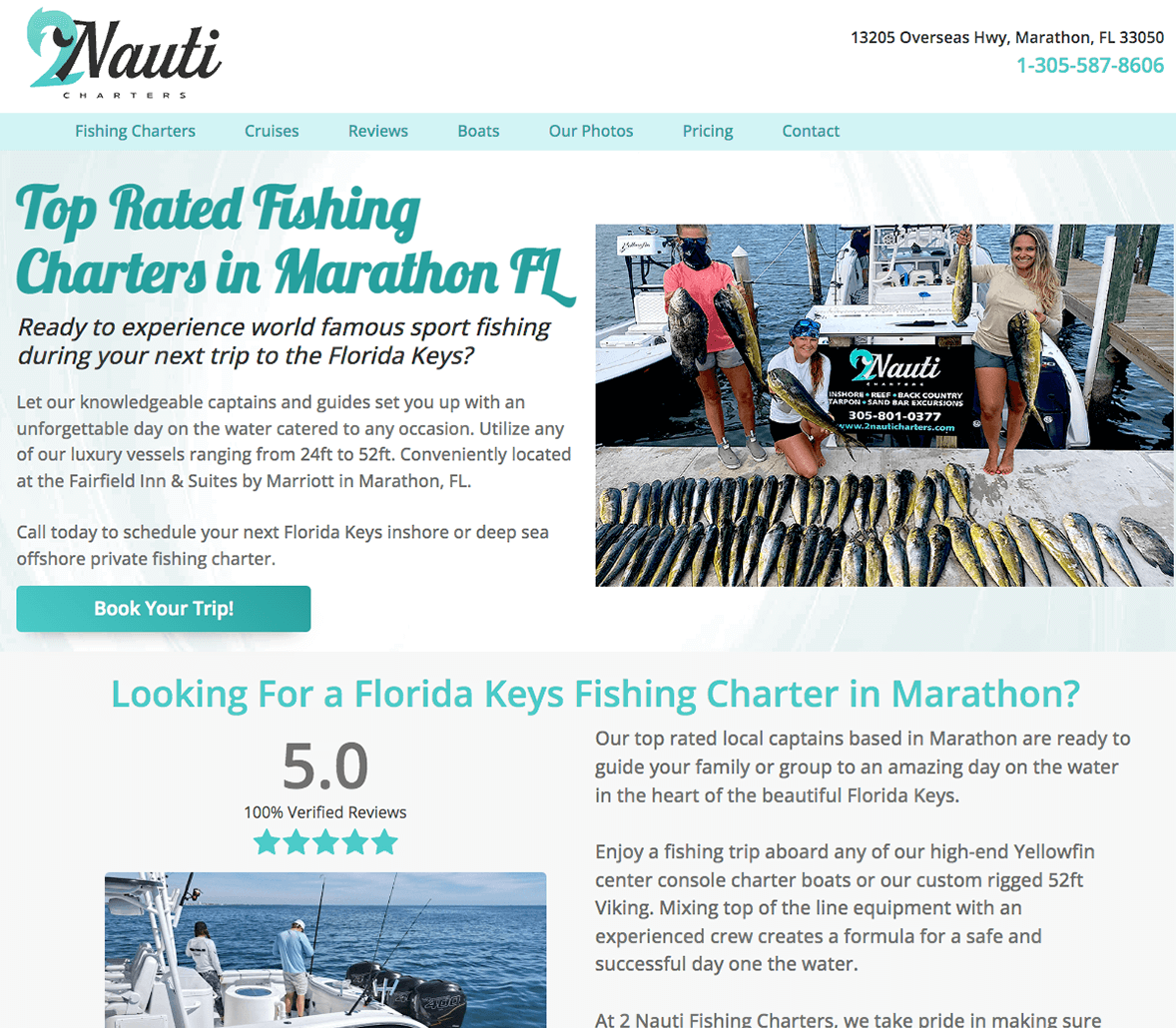
Trip information and charter imagery brought together around a booking decision.
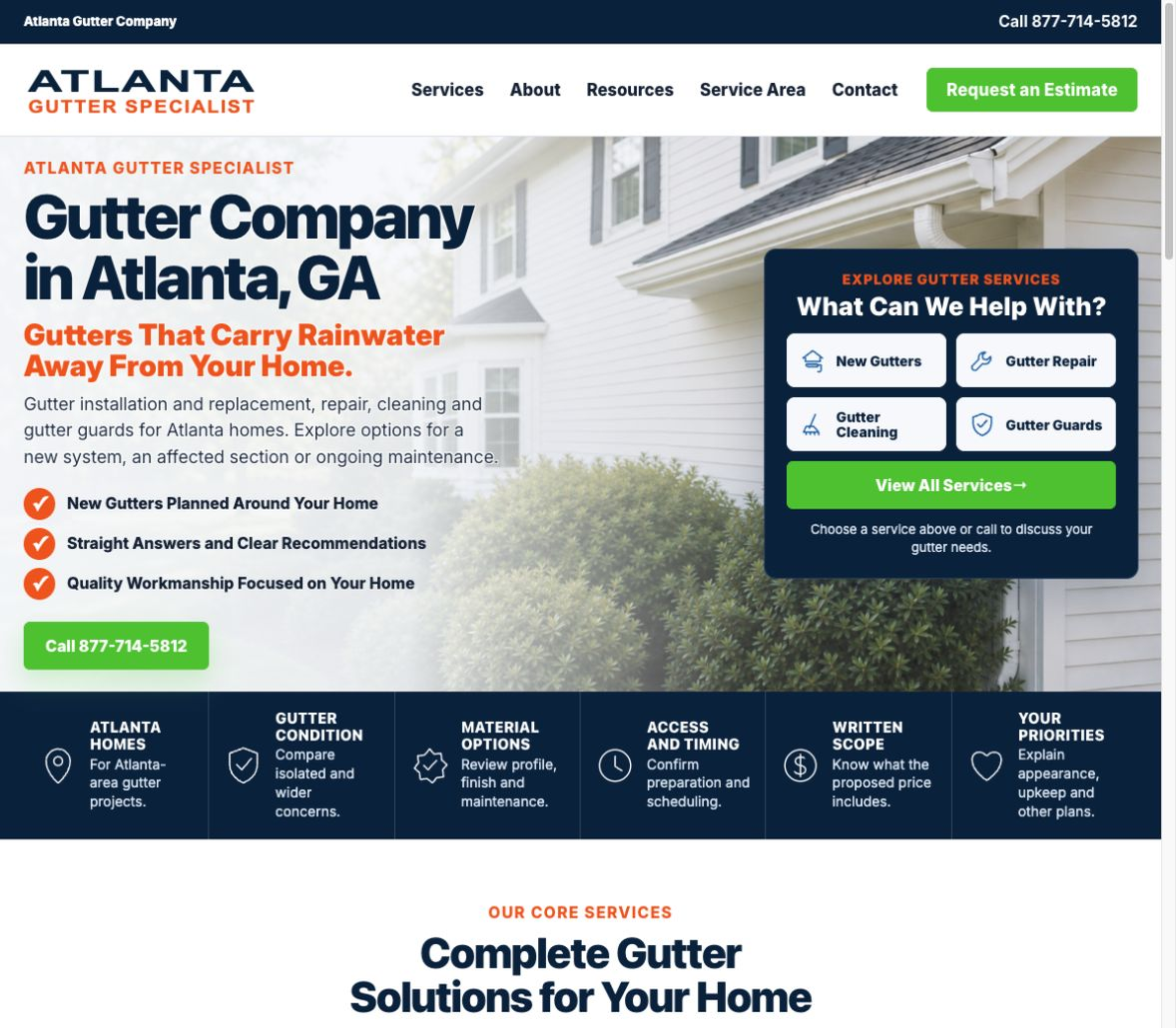
Clear service categories, local relevance, and visible estimate requests.
Planning Pages and Editing Access
We bring over 20 years of professional website and marketing experience to planning how customers find answers and contact you, and what your staff needs to update later.
Organize the pages around the services you want people to choose, the questions they need answered, and a relevant contact option.
Agree which content your team changes, what access those tasks need, and which layout or technical changes require support.
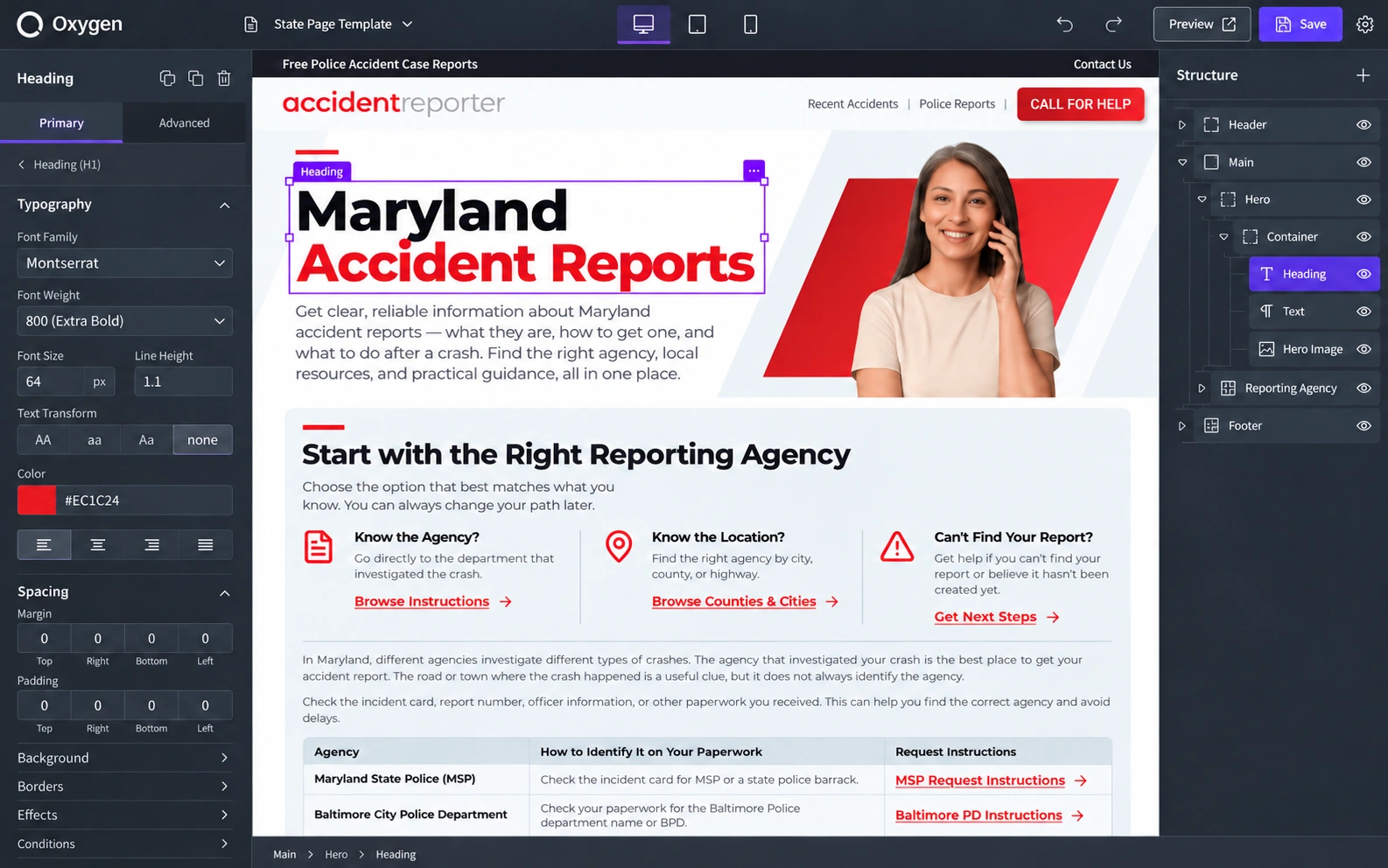
Example Content Structure
Reusable Page Layout
Content can change within an agreed structure. Editing content is different from administering WordPress or redesigning the layout.
Understand the Investment
Agree which pages, content, features and connections the quote includes. Name who supplies the material and who approves the work. Identify any fees that continue after launch.
Work to Define
Services, projects, articles, team information, and the content to create or transfer.
Decision to Agree
Who supplies, reviews, and approves the material.
Work to Define
The required page layouts, reusable templates, and content controls.
Decision to Agree
Which changes your team manages and which need support.
Work to Define
Inquiry fields, notification destinations, booking tools, or CRM connections.
Decision to Agree
What information moves, where it arrives, and how it is tested.
Work to Define
WooCommerce, memberships, multilingual content, or other defined functions.
Decision to Agree
Data, payment, access, and third party requirements before they enter the build.
Work to Define
Page addresses, technical checks, backups, updates, and support options.
Decision to Agree
Who holds access, handles renewals, and carries out ongoing work.
Hosting, domain renewal, paid tools, new features, and ongoing care can create separate costs. Clarify what is included, what renews, and who is responsible.
Your WordPress Project
Know what each stage is working toward, what your team needs to supply, and what will be reviewed before the next step.
Agreed pages, features, content, and responsibilities.
Reviewed page structure and a visual direction for your brand.
Reusable layouts, editing controls, and the agreed connections.
Check key pages on a phone and test important site addresses. For an approved form test, check any expected record and ask the intended team to confirm receipt.
Check agreed changes after release. If handoff is in scope, have your team practice the agreed editing tasks and confirm who manages accounts, backups and ongoing care.
Inquiry Routing and Receipt
Agree which form or contact route you can test and who should receive the request. If the test is authorized, check the confirmation message, any expected record and actual receipt separately.
Do the required fields and validation help the visitor complete the request?
Does the visitor see a clear confirmation and know what to expect next?
Can the intended team confirm that the authorized test arrived in the agreed inbox or tool with the expected details?
Is the expected record saved? Who follows up on genuine inquiries, and what outcomes can your team verify?
Use business records to count each genuine inquiry your team received once. Keep test inquiries and tracked actions separate. Review which requests fit the service, how your team followed up and which led to confirmed bookings or sales where records allow.
What the Review Should Inform
Improve a confusing page, repair a broken contact step, clarify the service fit, or review the handoff with your team.
If a form test is in scope, record the result, where the inquiry was meant to arrive and any routing issue that needs a fix. Agree separately what reporting will cover for customer inquiries.
Website Design Comparison
This fictional design comparison revisits the four problems above. Clear navigation, prepared imagery, a useful inquiry path, and a real phone layout give the page a defined job.
Client Perspectives
Clients describe working with Revenue Surge on websites and marketing.
Revenue Surge has created websites, landing page and optimization that has supported the digital strategies of THOR Associates as well as our clients. All with fantastic results...

Fern Lee
THOR Associates
The web design provided by Dave was second to none and we've been in the direct response space for over two decades. With Revenue Surge, we ran creative digital marketing campaigns designed to optimize conversion as well as average ticket price...
Jason Galvin
Herbal Groups
Dave provided a solid resource and “home” for my clients that needed direction and counsel on how to maximize their digital efforts from digital media strategies, SEO/SEM and optimal website/landing pages that convert...

John Bosacker
Lee MMS
Frequently Asked Questions
Practical answers about improving your current site, planning a build, and keeping access, costs, and ongoing responsibilities clear.
WordPress Project Planning
Use the Contact form to send your name, email and one thing you want to improve. Company and website are optional. We can discuss scope and pricing before you decide whether to proceed.

