Start a Conversation
Menu

Investigate Before You Rebuild

Lead Generation
Website Design

Start with one problem on your website or in the way inquiries reach your team. We check the pages, contact steps and what your business receives. Then we can recommend a focused repair, a campaign landing page or a rebuild and agree what to verify.

Two people at a laptop displaying an online form, one using the trackpad

Show Who Your Services Are For

Explain the services you offer, who you help and where you work.

Make Contact Straightforward

Remove avoidable obstacles from calls, forms, and quote requests.

Check Received Inquiries and Outcomes

Check which inquiries reached your team and which fit. Use recorded outcomes to inform website decisions where the records support a connection.

Start With the Problem You Can See

Where Is the Inquiry Breaking Down?

A quiet inbox and a busy inbox full of unsuitable requests need different answers. We investigate what is happening before recommending focused repair, a campaign landing page, or a broader rebuild.

What you notice

Visits come from relevant sources. Few inquiries reach the team.

The website may be creating doubt or making the next step difficult.

Inspect

Visitor Expectations and Contact Barriers

Compare the traffic source with the service page. Review the offer, proof, phone experience, contact choices, and form errors.

Decide

Choose Whether to Fix the Page or Revisit Targeting

Clarify the service and contact path when the visit is relevant. Revisit targeting when the visitor needs something else.

Verify

Compare Contact Attempts With Received Inquiries

Review the relevant pages for contact actions and form errors. Check which genuine inquiries reached your team. Match them to recorded contact attempts only where the records support it.

What you notice

Inquiries arrive. Too few fit.

More submissions can create more work without creating useful opportunities.

Inspect

Service Expectations and Inquiry Fit

Compare the requests that reached your team with the campaign promise, the services you offer and the areas you cover. Check for spam and duplicates before judging fit.

Decide

Make fit clearer

Explain who the service helps. Ask necessary questions without turning first contact into a long application.

Verify

Review inquiry quality

Confirm which genuine inquiries reached your team. Count each inquiry once. Apply the agreed fit criteria and record which inquiries qualify, which fall outside those criteria and which still need review.

What you notice

A suitable inquiry has no recorded follow up.

The website action is only the beginning of the handoff.

Inspect

Delivery and ownership

Send one test inquiry. Check that it arrives once in the intended system with the correct details, the assigned person can see it and the visitor gets the expected confirmation.

Decide

Agree Where Requests Go and Who Responds

Agree the routing and next action. Tell the visitor what happens after contact.

Verify

Test beyond submission

Confirm that the test reaches the assigned destination and the responsible person can access it. Review real inquiries for fit, follow up and confirmed outcomes separately.

Marketing attracts the visit

Traffic relevance and campaign intent may need work beyond the website. See Lead Generation Services for acquisition scope.

The website supports the decision

Service content, proof, contact choices, validation, and delivery can reduce avoidable uncertainty and friction.

Your team handles the inquiry

Fit, response, sales progress, and customer outcomes depend on the people and process after contact.

Where Opportunities Break Down

What Can Stop a Visitor From Getting in Touch?

A prospective customer may find your website and still leave unsure whether you can help. If you are investing in search or advertising, that hesitation can waste effort before your team gets a chance to respond.

Your best services are difficult to find

Visitors cannot tell why they should choose you

The form asks too much before trust is established

Inquiries arrive without enough context for a response

VisitorsLeaves EarlyInterestKeeps BrowsingConsiderationCompares OptionsInquiryNeeds a Clear Next StepQualified LeadsGets in TouchCustomersBecomes a Customer

Give Customers a Reason to Choose You

Show the Service, Proof and Next Step

People want to know whether you offer the right service, whether they can trust you, and how to begin. The opening view should help answer all three.

Is This the Service I Need?

Introduce the service and the people it is designed to help.

Why Should I Trust This Business?

Show genuine work, client feedback, and specific service details.

How Do I Get Started?

Make the consultation, quote, or booking action visible.

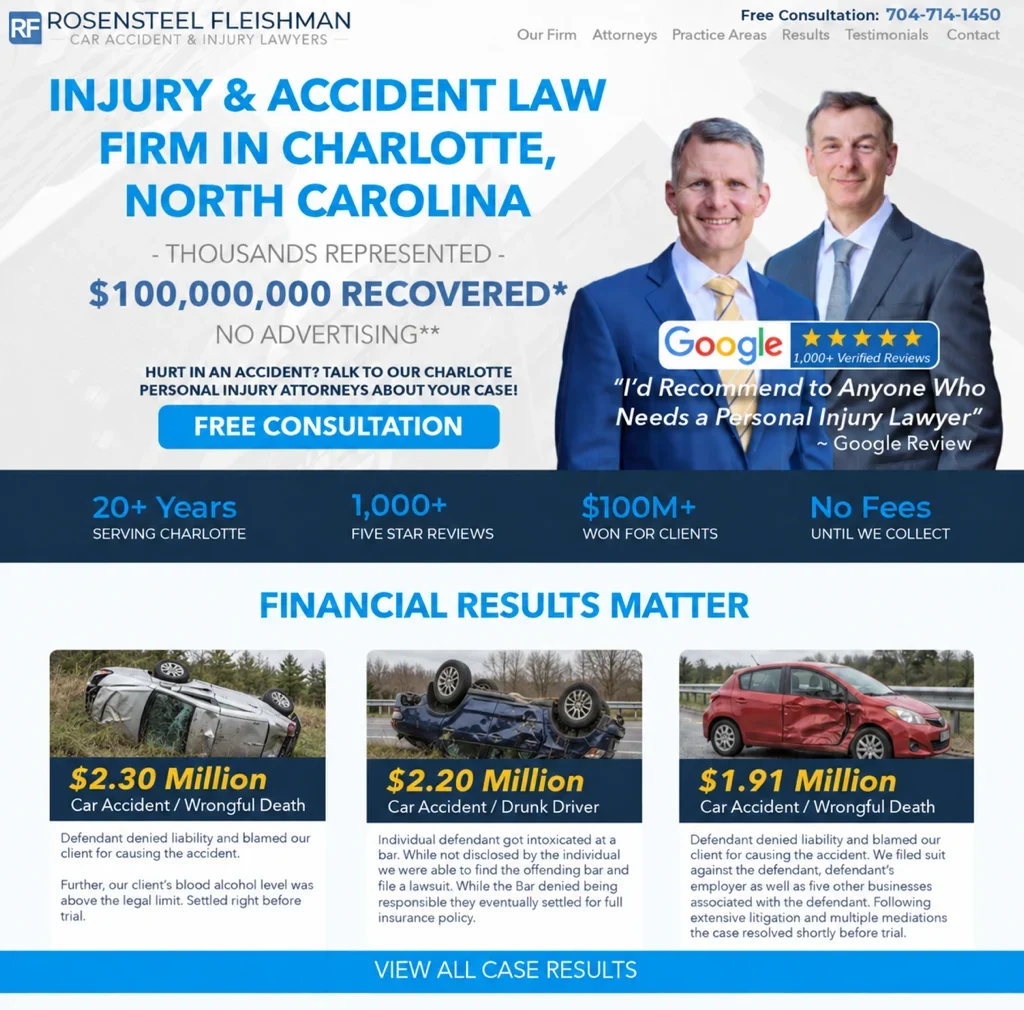
Service Details and Consultation in One View

Rosensteel Fleishman website design with attorney portraits, a consultation button and case result cards

Service Offer

Case Result Cards

Consultation

The Rosensteel Fleishman design shows practice information, attorney portraits and a consultation button alongside case result cards.

Remove Friction Before Buying More Traffic

Make the Offer Clear and Check the Contact Path

More traffic cannot fix an unclear offer or an inquiry that never reaches your team. Address the obstacles between interest and contact.

Discuss My Website

Clearer
Next Steps

Usable Contact
Options

Clear Inquiry
Handoffs

Unclear Messaging

Visitors should not have to piece together what you do and whether it fits their needs.

The Fix: A Clear Service Offer

Your Service.Their Next Step.Explore ServicesWho you helpWhat you doNext step

Contact Options Are Hard to Find

If the action is vague or buried, an interested visitor may keep looking elsewhere.

The Fix: One Visible Next Step

Request a Quote →Call NowBook a CallGet a Quote

Complicated Forms

Ask enough to respond and assess fit without turning the first inquiry into an application.

The Fix: Useful Questions

Keep It UsefulAsk what mattersMake it easyExplain what is nextNameEmailService NeededSend Inquiry →

Missing Follow Up

A submission has limited value if nobody knows who should respond or what happens next.

The Fix: A Clear Handoff

New InquiryWebsite formor phone callYour TeamRouted to theright personNext StepA useful replyand clear plan

What We Design and Connect

Plan the Website and Where Inquiries Go

A campaign can attract the right person and still lose the inquiry. We plan the message, website, contact options, and handoff together.

Start With the Customer

Define the services to promote, who they suit, and the questions buyers need answered.

Build the Path to Contact

Develop service pages, campaign landing pages, proof, and forms around that decision.

Agree Where Inquiries Go and Who Responds

Agree on routing, confirmations, tracking, and the checks needed before launch.

ONE CONNECTED CUSTOMER PATHSearchCampaignsReferralsRelevant Service PagesOffer · Evidence · ContactCall Your TeamSend an InquiryInbox or CRM → Review
The scope connects the website with the people and tools that handle each inquiry.

Experience You Can Examine

How Website Designs Present the Next Step

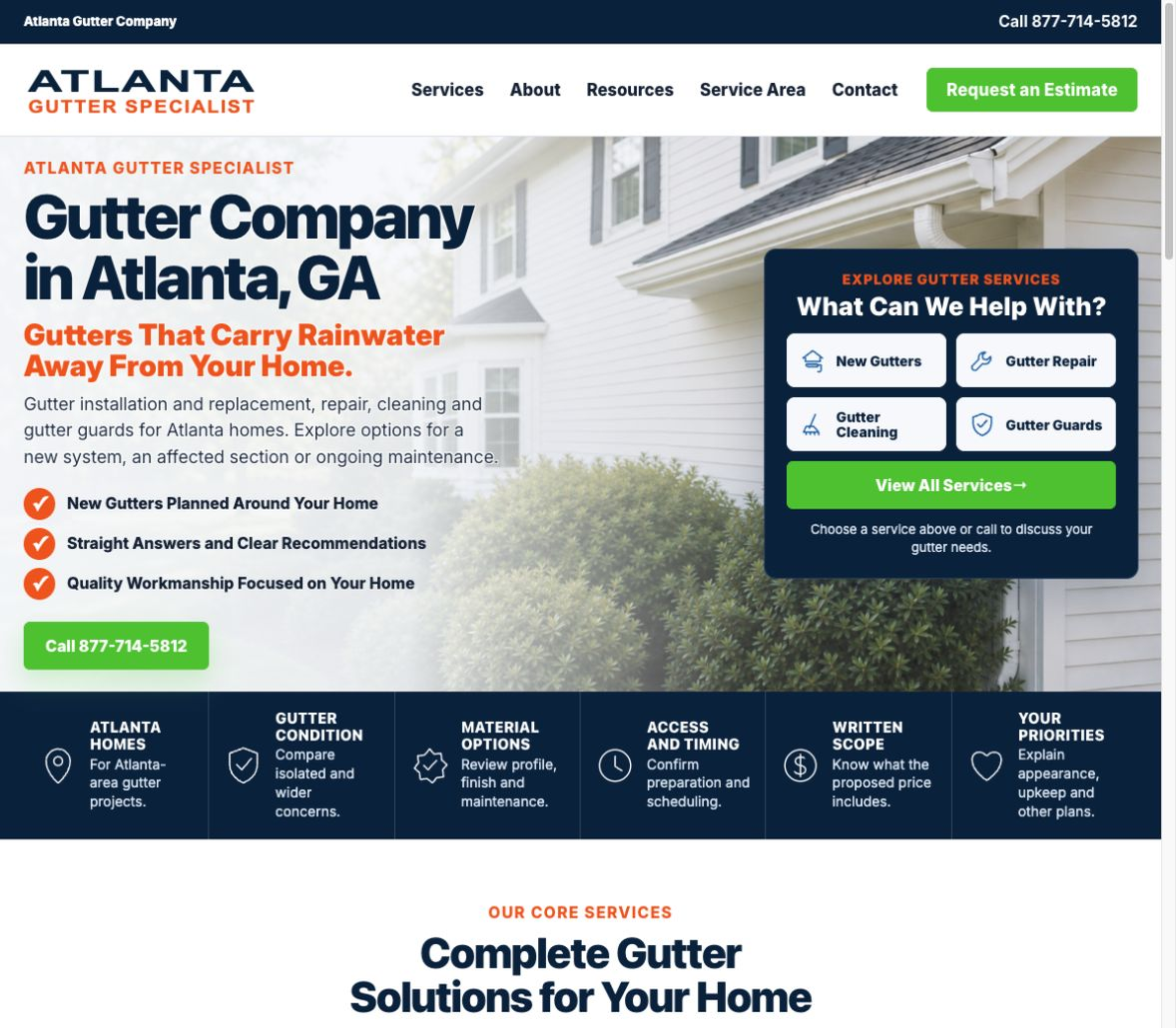
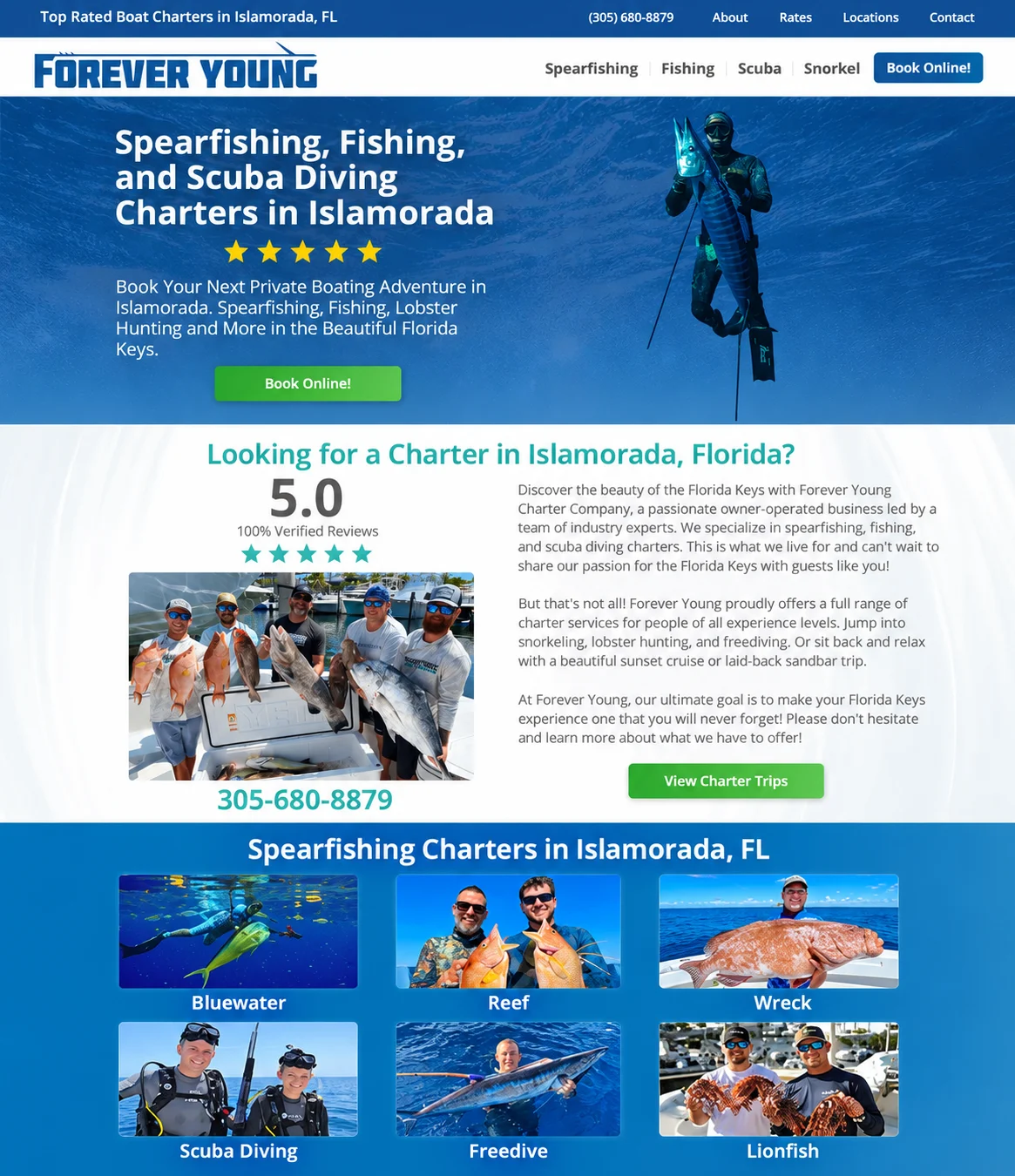
From professional services to charters and product offers, the work shows how we organize information around the action a customer needs to take.

Choose the Appropriate Work

Repair, Campaign Landing Page, or Rebuild?

We check what the current website can support, which pages and URLs should stay and where inquiries need to go. Then we agree which work is needed, who can make the changes and what to verify before launch.

Focused repair

Keep what works and fix a contained obstacle

This can fit when the structure and editing experience remain usable and the problem is limited to a service page, contact path, mobile experience, or delivery failure.

What the Repair Covers

  • Named pages and contact paths
  • Current URL and content inventory
  • Required copy, layout, form, or routing changes
  • Access and integration dependencies

How We Check the Repair

Confirm approved changes appear on the agreed devices. Test that the scoped contact action reaches the intended system once with the expected information. Check that assigned editors can make the updates included in the handoff.

Campaign landing page

Give one audience and offer a focused destination

This can fit when a campaign needs a specific message and action without replacing the whole site. Traffic strategy and campaign management remain a separate scope.

What the Campaign Page Covers

  • Campaign source and intended audience
  • Offer, proof, contact choice, and qualification needs
  • Tracking events and destination ownership
  • Required brand, privacy, and integration inputs

Checks Before Sending Campaign Traffic

Test the agreed page, contact action and validation before launch. Confirm that a test inquiry reaches the intended system once, the visitor sees the expected message and the agreed events are recorded. Learn more about Landing Page Design.

Website rebuild

Replace a system that blocks the required work

A rebuild can be justified when the template or content model prevents essential changes, important mobile paths fail across the site, or required connections cannot be maintained responsibly.

What the Rebuild Covers

  • Page, content, and functionality inventory
  • URL preservation and redirect decisions
  • Editing, hosting, license, and account responsibilities
  • Migration and integration dependencies

How We Check the Rebuild

Confirm that agreed content and functions are present. Test the URLs and redirects in the approved plan and confirm that the assigned team can use the access it needs. Verify that test inquiries reach the intended system before launch.

Preserve what works. Agree which content, URLs, editing workflows and connections to keep. If the proposal includes a rebuild, name what changes, which outside services it depends on and who checks and approves each part of the launch.

How We Build Your Website

Agree on the Work, Roles and Checks Before Building

1

Define the Goal

Agree on priority services, customer fit, and where the current inquiry process falls short.

2

Design the Customer Path

Plan the content, proof, pages, and contact options around those goals.

3

Build and Test the Connections

Develop the pages and test the agreed forms, routing, confirmations, and tracking.

4

Launch With a Review Plan

Complete launch checks and agree on responsibilities, feedback, and any ongoing work.

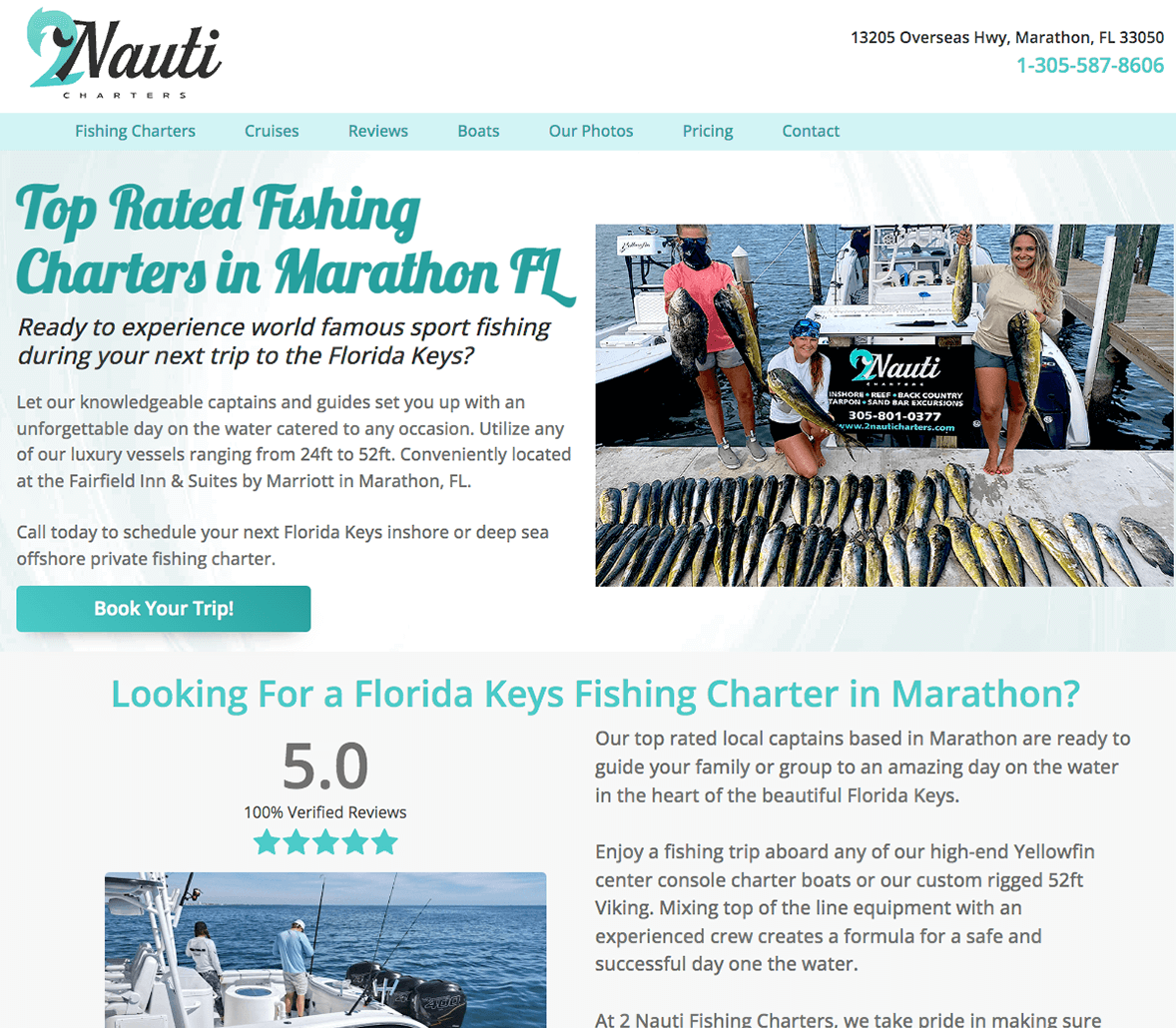
Service Details That Support a Booking

Show the Charter Offer and Booking Option

2 Nauti Charters website screenshot showing Marathon fishing charters and a Book Your Trip button

What to Ask and Where the Inquiry Should Go

Ask What Is Necessary, Then Test the Handoff

The shortest form is not automatically the best form. The right first contact balances visitor effort with the information your team genuinely needs to assess fit and respond.

Which Questions Belong on the Form?

Every question needs a reason

Useful on first contact

Service, location, timing, or another fit detail may help the right person respond. Include it when the answer changes routing or the next conversation.

Better after first contact

Detailed background, preferences, and supporting documents may add effort without changing the initial response. Move them later when they are not required to begin.

Remove or rewrite

Questions no one uses, unclear labels, and fields that repeat known information create work for the visitor and the team.

  • Visible labels and clear instructions
  • Helpful validation and error recovery
  • Check Form Controls and Confirmation on Phones
  • Agreed treatment of spam and duplicates
1

Visitor completes the action

Required fields, validation, privacy language, and recovery are understandable on the agreed devices.

2

The destination receives it

Confirm the agreed connection and permissions first. Check that a test inquiry reaches the intended inbox, CRM or other approved system once and that the assigned team can see the expected details.

3

The visitor receives confirmation

The page or message confirms what happened and sets an appropriate expectation for the next step.

4

A person owns the response

The business names who reviews the inquiry, how suitability is recorded, and what happens when routing fails.

5

Match the Test to the Received Record

Check that the test details appear once in the intended system. Verify the staff alert, the visitor confirmation and any tracking included in scope as separate checks.

Spam controls have tradeoffs. A control can reduce unwanted submissions while adding effort or blocking a legitimate visitor. The agreed scope should review the risk, choose a suitable control, test accessible error feedback, and record duplicates. No website control can guarantee that every unwanted message is stopped.

Compare Records From the Same Group

Define the Stages Before Comparing Results

Track contact actions, genuine received inquiries, qualified inquiries, opportunities and confirmed customers separately. Agree on the group, source, definitions and time allowed for outcomes before comparing stages.

Stage 1

Valid inquiry

A genuine request that reaches the intended team or system. Exclude spam and count repeated contacts about the same request once.

Comparisons: Divide the valid unique inquiries linked to an eligible visit group by all eligible visits in that group. Agree on the source, reporting period and time allowed for inquiry receipt. For a separate delivery comparison, check which recorded contact attempts reached the intended destination. Match attempts and receipts using the same channels, counting rules and time window. Report unmatched records separately.

Stage 2

Qualified inquiry

A valid inquiry that meets the agreed service, location, timing, or other fit criteria. The business defines and records those criteria.

Denominator: Valid unique inquiries from the same group, source and reporting period. Apply the same review window and report inquiries with unknown fit separately.

Stage 3

Opportunity

A qualified inquiry that reaches the sales stage the team has defined. A website event alone cannot establish this stage.

Denominator: Use reviewed qualified inquiries with a known opportunity status by the agreed cutoff. Count the inquiries in that group that reached the agreed opportunity stage by the cutoff. Divide that count by the total for the same group. Report unreviewed inquiries and those with unknown status separately.

Stage 4

Customer

A confirmed new customer, sale, or engagement recorded by the team. It is not inferred from a phone click, form event, or delivered email.

Denominator: For the share of known closed opportunities that became customers, count opportunities the team recorded as won or lost in the same group and window. Use only those closed opportunities linked to a confirmed new customer in the numerator. Report open and unknown cases separately.

What Launch Checks Can Confirm

Before launch, confirm the agreed pages, devices, validation, delivery, confirmation, editing access, URL plan, and measurement events. These checks show whether the scoped system works as built.

Ongoing improvement is separate

A split test needs randomly assigned eligible visitors, consistent outcome measures and enough traffic to detect a difference worth acting on. If testing is impractical, review usability, delivery or feedback from buyers and staff. Agree on any continuing tests separately through Conversion Rate Optimization.

Client Perspectives

What It Is Like to Work With Revenue Surge

Clients describe website work, campaign support and how the team worked with them.

It is refreshing to deal with a company which not only simplifies every step of implementation and reporting but, more importantly, does not over promise while often delivering above expectations. The company I am referring to is Revenue Surge...

George Smith

GWS Consulting

Dave and his team were able to crush our lead count goals and the quality is awesome. They were able to scale our business quickly...

Greg Paro

The web design provided by Dave was second to none and we've been in the direct response space for over two decades. With Revenue Surge, we ran creative digital marketing campaigns designed to optimize conversion as well as average ticket price...

Jason Galvin

Herbal Groups

Frequently Asked Questions

Lead Generation Website Design FAQs

Answers about scope, ownership, qualification, integrations, investment, and what happens after launch.

Can We Improve the Existing Website Without Rebuilding It?
Often, yes. We review the platform, content, mobile contact path, editing experience, and required connections. Focused repair may be appropriate when the structure remains usable. A rebuild needs a broader reason that the proposal explains.
Can We Keep Our Current URLs and Content?
We review useful pages, website content, internal links and current URLs. The proposal identifies what to keep and which URLs must change. If redirect work is included, we map changed URLs to the relevant new pages and verify those redirects as part of launch.
Who Owns the Website, Licenses, and Editing Access?
Before work starts, agree who controls the domain, hosting, website accounts, content and licenses. The proposal states who can make everyday edits, what access or accounts need to transfer and who covers any recurring hosting, software or license costs.
Can You Connect With Our CRM?
We review the CRM, available integrations, fields, permissions, routing requirements, and destination ownership before confirming the connection and testing scope.
What Will the Website Project Cost?
Cost depends on whether you need a website repair, a campaign landing page or a rebuild. Page count, copy, design, migration and system connections also affect the work. The proposal lists the work, what we’ll verify and any separately agreed hosting, software or ongoing support costs.
How Long Will the Work Take?
The schedule depends on content readiness, page count, approvals, migration decisions, integrations, and feedback. We agree on a realistic sequence once the scope and responsibilities are clear.
How Do Qualification Questions and Spam Controls Affect Inquiries?
Useful service, location, or timing questions can help assess fit, while unnecessary questions add effort. Spam controls can also block legitimate visitors. We agree on necessary fields, suitable controls, accessible feedback, delivery tests, and how duplicates are recorded. No control guarantees that every unwanted message is stopped.
Do We Need Ongoing Traffic or Testing Services?
The proposal sets the website work. Traffic acquisition and continuing tests are separate scope decisions. An A/B test needs enough eligible traffic, random assignment and reliable outcome records for a difference that would matter. If those are limited, start with usability or delivery checks.
How Do You Define a Qualified Inquiry?
A valid inquiry is a genuine request your business received. Count it once and exclude spam and duplicate records. Qualified inquiries are the valid inquiries that meet the criteria you agree on, such as service, location or timing.
What Happens When I Contact You?
Tell us about one service page, form or inquiry problem. A website link or example can help if you have one. We can discuss what to check first and whether focused repair, a campaign landing page or a rebuild makes sense.

Lead Generation Website Design

Start With One Website or Inquiry Concern

Describe what people see on the site, the action they try to take or what reaches your team. A website link or short example can help us decide what to check first.