
Start a Conversation
Menu

The Revenue Surge Knowledge Base

Marketing Downloads

Use a free worksheet to trace a website inquiry, check local search visibility, review a product page or compare two marketing options.

Two people reviewing a worksheet beside a laptop at a bicycle repair shop counter

Choose a Worksheet
Record One Finding.

Practical Worksheets

Each PDF has one page with space to note what you checked and what you found.

No Email Required

Get any of the four PDFs directly from this page.

Choose Your Next Step

Keep one finding and the next check together so your team knows where to start.

Free Printable Marketing Worksheets

Find the Worksheet That Fits Your Question

Start with one problem you can describe or one choice you need to make.

Use Open PDF on a worksheet card to see what it asks you to record.

Unsure Which Calls or Forms Reached Your Team

Website Inquiry Checklist

On a phone, follow one contact route and record the page, contact option and intended recipient. Stop the public walkthrough before calling or submitting. If your business approves a delivery test, use its approved process, label the test and use fictional details where needed. Verify who receives it and keep it out of genuine inquiry totals. Record the first issue, who should check it and any reporting evidence when tracking is in scope.
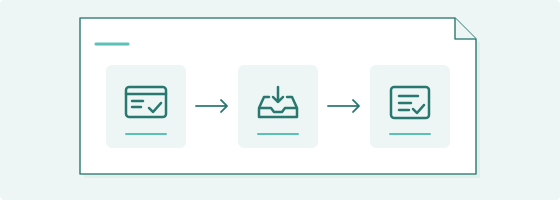
Form submission, inbox delivery and reporting shown as three connected steps.

Hard to Find in Towns You Serve

Local Visibility Checklist

Check one service in a town you serve. Record what appears in Google results, what your Business Profile says and what the matching website page says, where available. Note the first detail that needs a closer look.

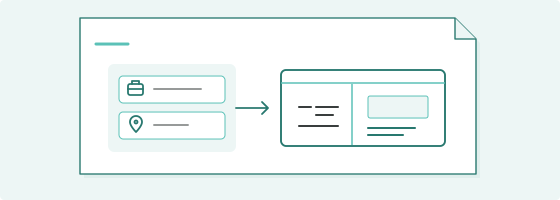
A local search check connecting a town, a business listing and its website page.

Shoppers Leave Before Buying

Product Page Review

Choose one product option and follow it into the cart. Compare price, stock, delivery and return information. Stop before sharing personal or payment details, placing an order or making a commitment. Record the first question the page or cart cannot answer.

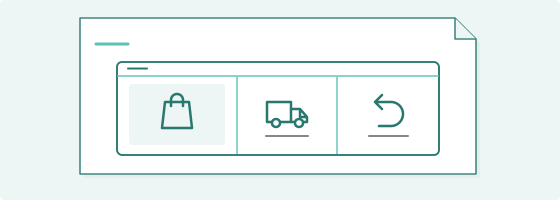
A product page diagram showing the product, shipping and returns.

Unsure Where to Spend Next

Marketing Decision Worksheet

Set two options side by side and compare the evidence, cost, time and risk. Note what you still need to check, who will check it and a date to review the choice.

Two marketing options compared against the same evidence.

Fillable PDF Worksheets

How to Use the Worksheets

  1. 1. Choose a Worksheet
  2. 2. Fill It In or Print It
  3. 3. Save Your Findings

For digital entries, download the worksheet and open it in a PDF reader that supports fillable forms. Fill it in and save a local copy before closing it. For paper use, print the blank worksheet.

Client Perspectives

What Our Clients Say

Clients describe what Revenue Surge helped them change in their websites, search visibility and campaigns.

The web design provided by Dave was second to none and we've been in the direct response space for over two decades. With Revenue Surge, we ran creative digital marketing campaigns designed to optimize conversion as well as average ticket price...

Jason Galvin

Herbal Groups

Dave provided a solid resource and “home” for my clients that needed direction and counsel on how to maximize their digital efforts from digital media strategies, SEO/SEM and optimal website/landing pages that convert...

John Bosacker

Lee MMS

Dave did a great job and even redesigned our website. He is always available to answer any questions and is a valuable member to our team...

Justin Henson

Frequently Asked Questions

Questions About the Worksheets

Find out which worksheet to start with, how to use it with your team and what to do if you find several issues.

Do I Need to Enter an Email to Get a Worksheet?
You can open or download the worksheets without entering an email address.
Can I Use These With My Team?
Yes. Give the team enough detail to repeat the check or understand the choice. Note what you verified, what is still open, who will act and when to review it again.
What Format Are the Worksheets?
All four worksheets are fillable PDFs.
What Should I Bring to a Conversation?
One general question is enough. Tell us what you were checking and what you noticed. A public link you have permission to share is optional. Keep completed worksheets that include private reports, customer records or credentials with your business.
Which Worksheet Should I Start With?
Use the Website Inquiry Checklist if you want to check receipt or reporting. Use the Local Visibility Checklist for one service and town, the Product Page Review for one item and cart, or the Marketing Decision Worksheet when you need to compare two options.
What Should I Do if I Find More Than One Issue?
Start with one issue you can repeat or verify. Record where it happened, who can address it and when you’ll check again. Keep the other findings on your worksheet for follow up.

Your Next Marketing Decision

Start with One Question or Finding

Tell us in general terms what you want to check or what you observed. If helpful, include a link to a public page you have permission to share. Keep private reports, account information and any worksheets with customer details within your business. We can discuss what to verify next.